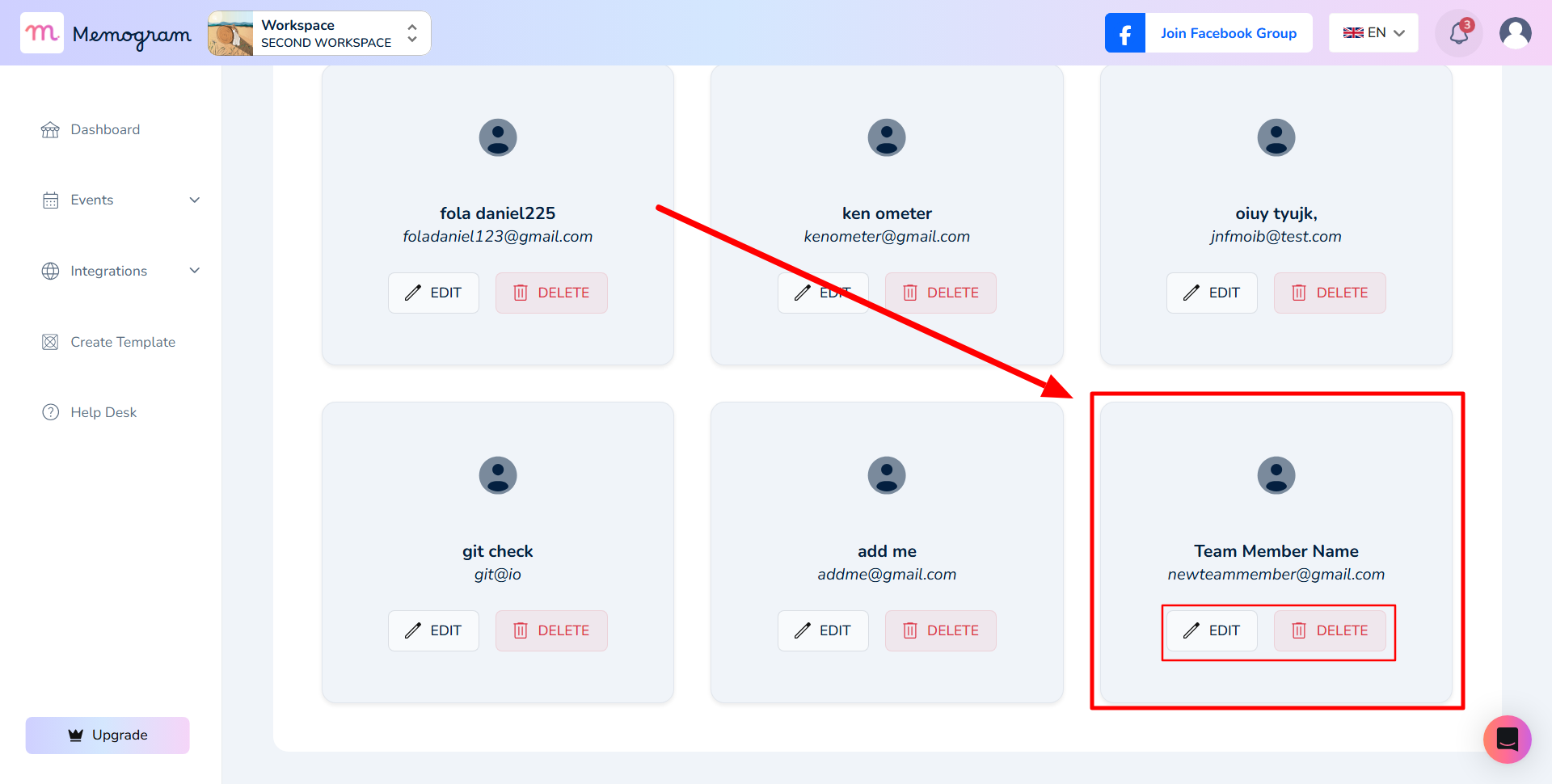
In this tutorial, I will show you how to add a team member to a workspace
Step 1: Log in to get started

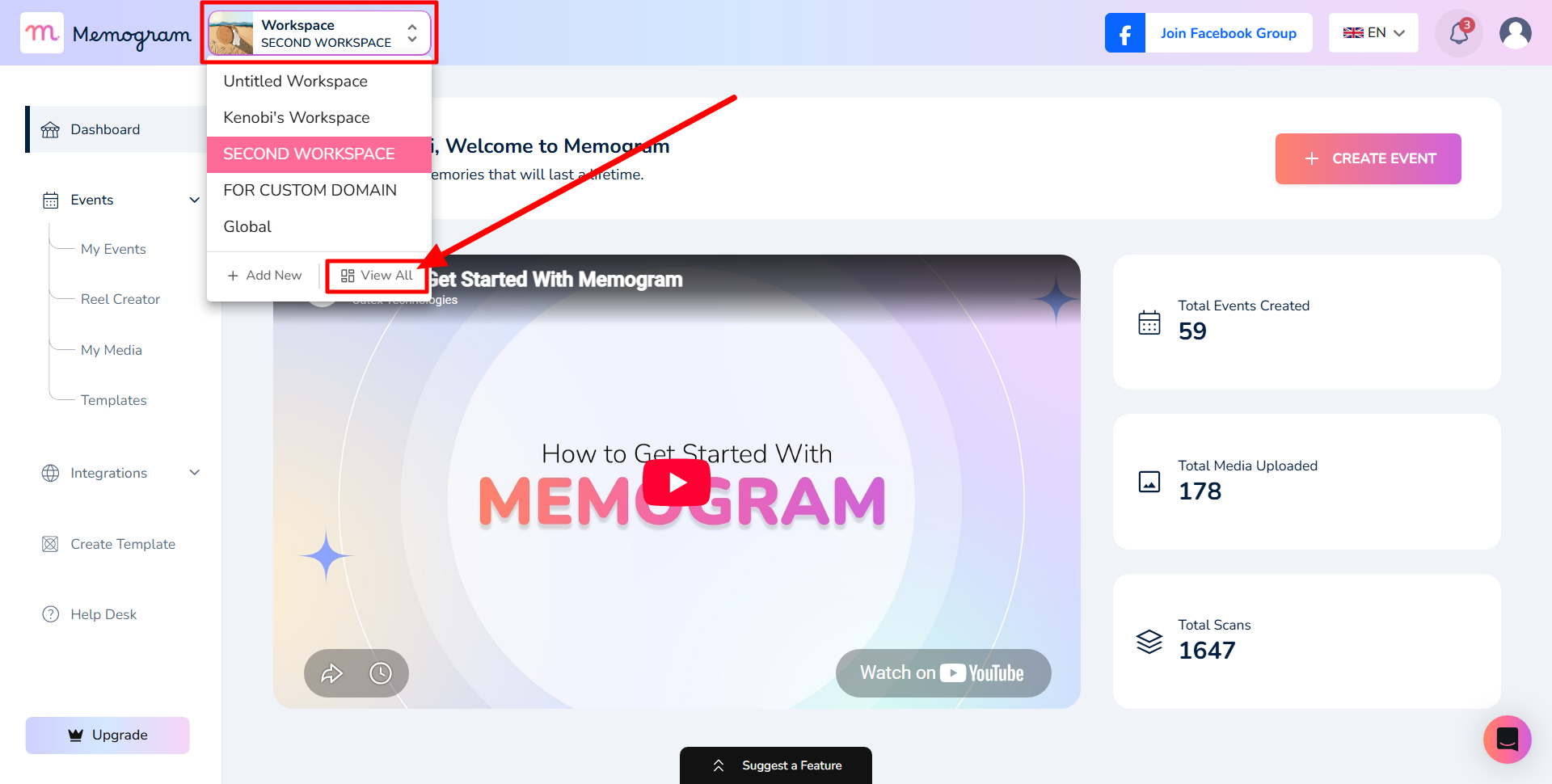
Step 2: Click on the Workspace drop-down and select “View All”
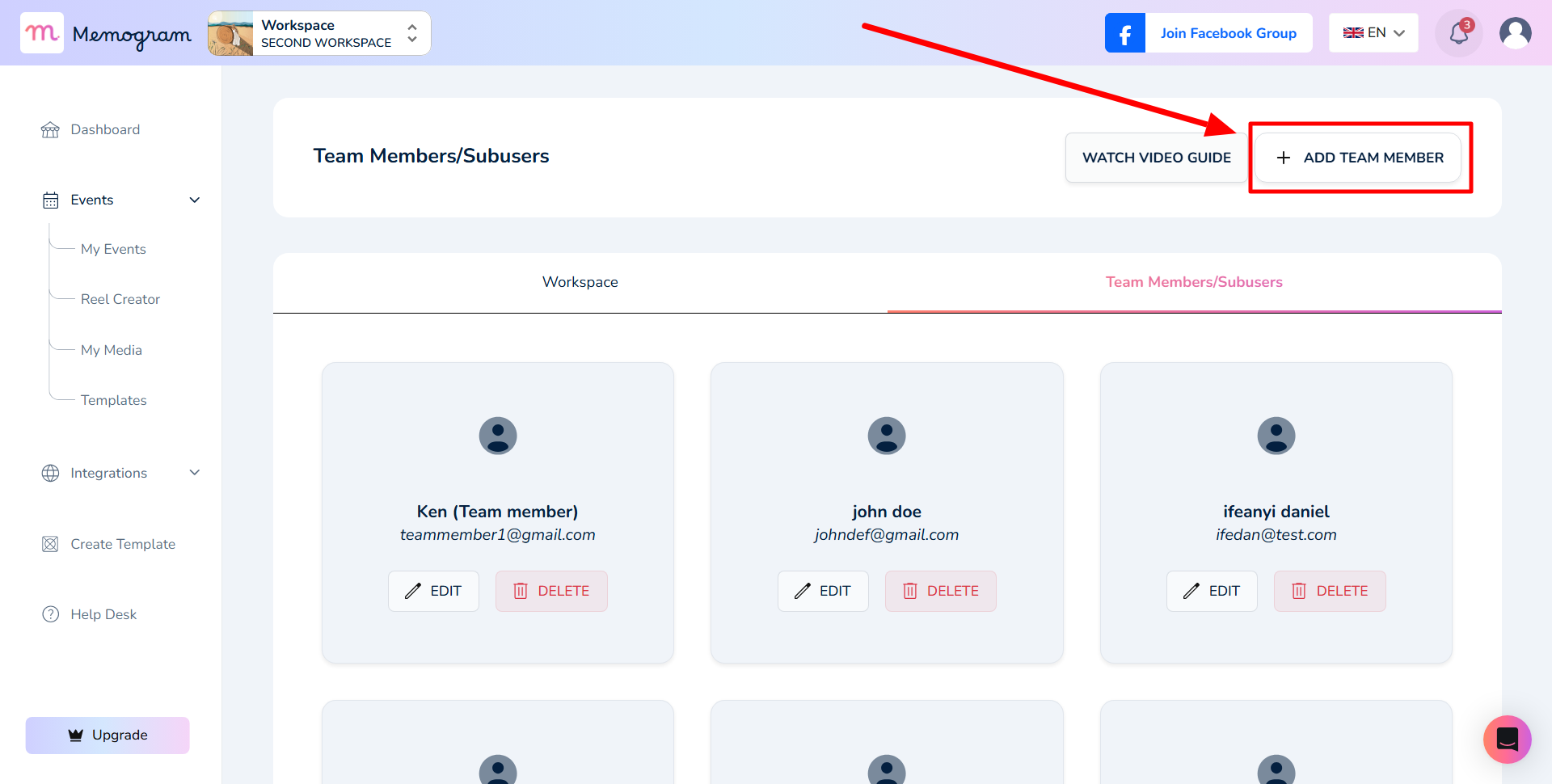
Step 3: Click on “Add Team Member”
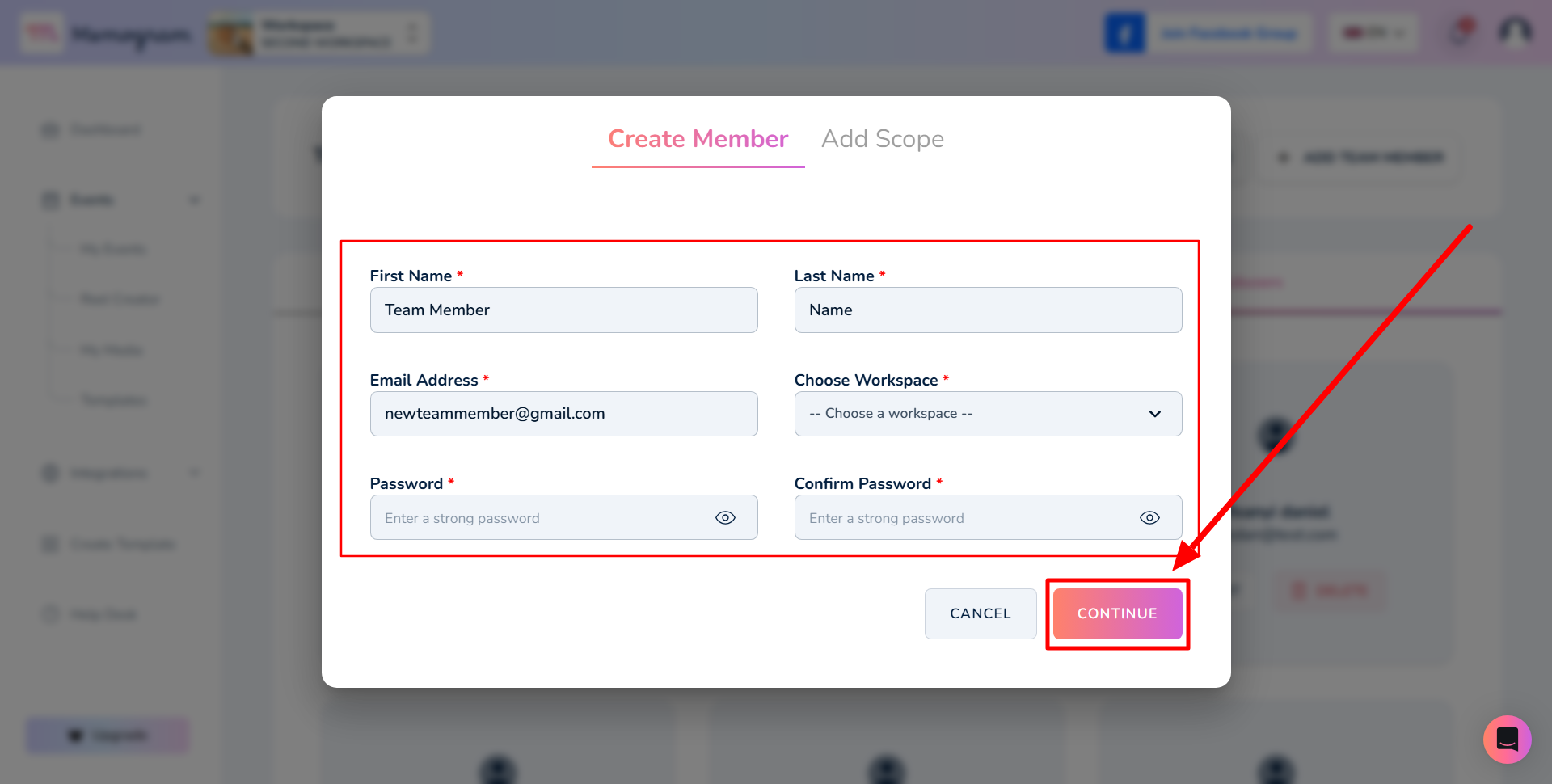
Step 4: Fill in the Team Member details and click on “Continue”
Note: This is the email and password you will send to the team member to login
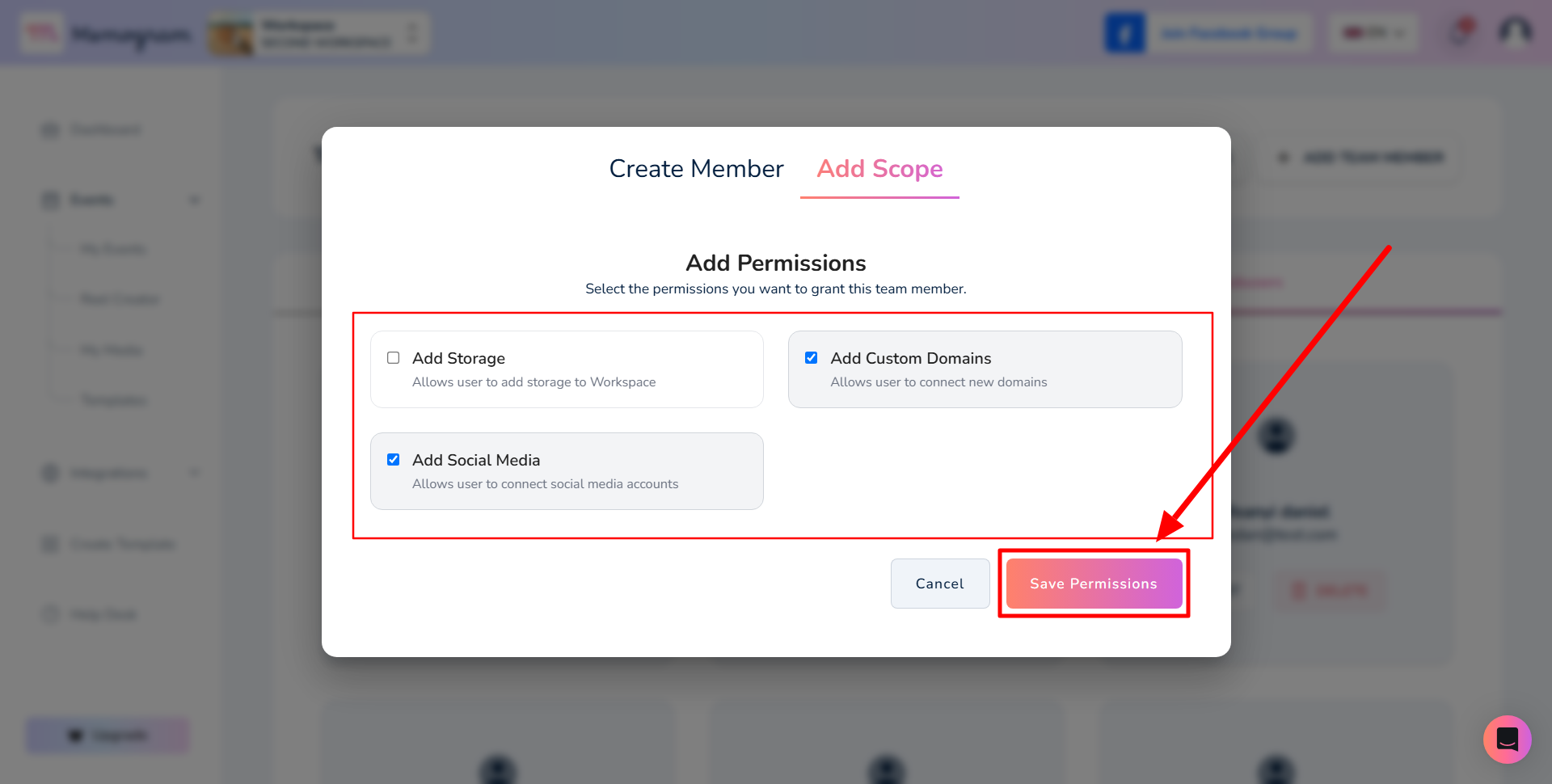
Step 5: Select the permissions you want to grant this team member. After that, click on “Save Permissions”
And that’s it; your team member has been successfully added to the selected workspace. You can always go back and edit or delete it